
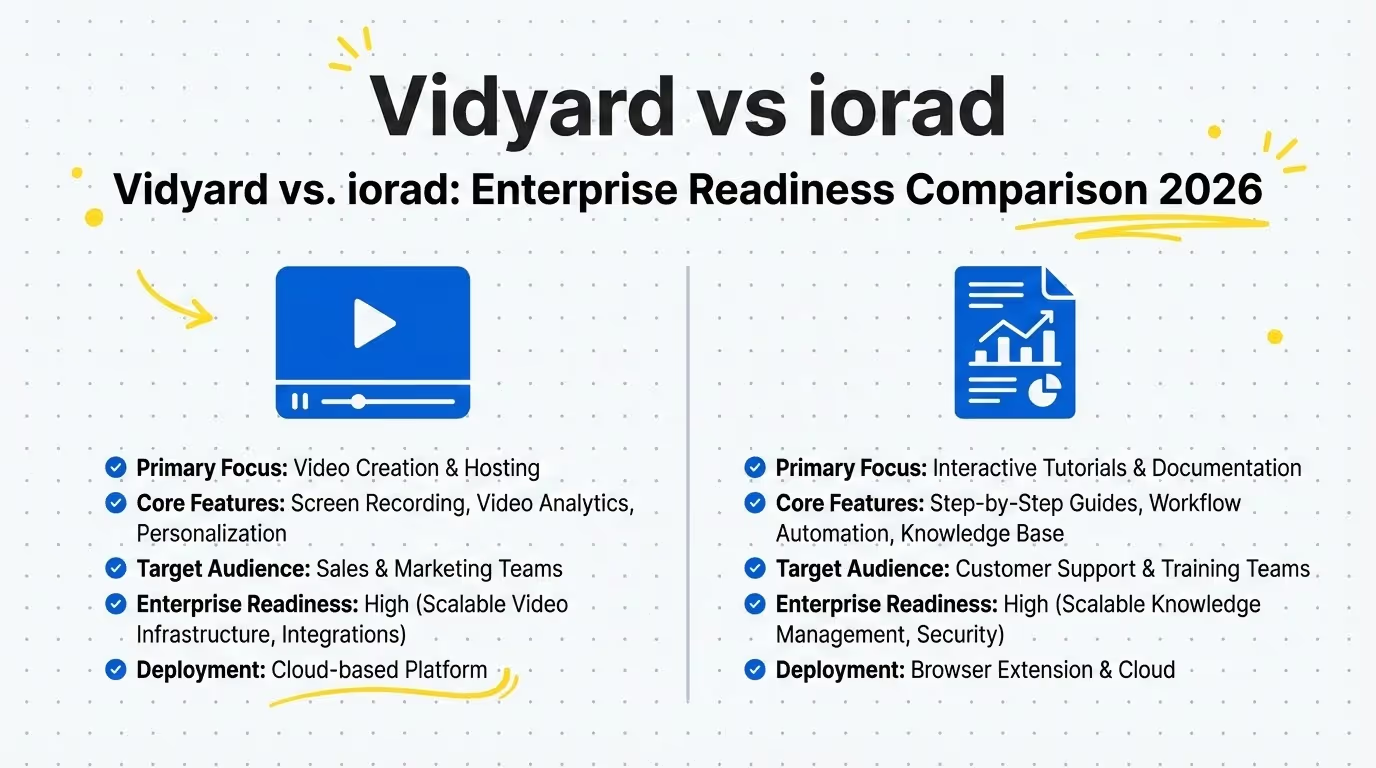
Vidyard vs. iorad: Enterprise Readiness Comparison 2026

82% of enterprise CIOs report that security compliance (SOC 2) and seamless SSO integration are the primary deal-breakers when selecting new documentation or video tools in 2026.
Vidyard excels at external sales and marketing video hosting, while iorad is designed for internal interactive process tutorials. However, for enterprises needing a secure, AI-powered platform that combines video engagement with instant documentation, Guidde offers a superior, all-in-one solution.
In an enterprise environment, a tool's ability to scale securely is just as important as its features. Choosing between Vidyard and iorad isn't just about video vs. text; it's about whether you need to drive external revenue (sales) or internal efficiency (training)—and ensuring your choice complies with strict IT security standards.
The Enterprise Dilemma: External Reach vs. Internal Mastery
As we navigate 2026, the line between video communication and process documentation has blurred, yet the core use cases remain distinct. Enterprise buyers often find themselves comparing Vidyard and iorad not because they do the same thing, but because they both solve the problem of "knowledge transfer" at scale.
Vidyard is the heavy hitter for external communication—sales prospecting, marketing videos, and client-facing demos. It’s built to track engagement and integrate with CRMs like Salesforce.
iorad, on the other hand, is the specialist for internal enablement—creating interactive, step-by-step tutorials that teach employees exactly how to use software.
This guide analyzes their Enterprise Readiness, focusing on security, scalability, and administrative control to help you decide which platform belongs in your tech stack.
What is Vidyard?
Vidyard is an enterprise-grade video platform designed primarily for virtual selling and marketing. It allows teams to record, host, and share videos that track viewer engagement.
Key Enterprise Features:
- Video Hosting & Analytics: Centralized video management with deep insights into who watches what and for how long.
- Sales Integrations: Native integrations with Salesforce, HubSpot, and Marketo to pass view data directly into client records.
- Personalization: Tools to create personalized video messages at scale for outbound prospecting.
- Security: Features like password protection, IP access controls, and SSO to secure sensitive video content.
What is iorad?
iorad is a rapid documentation tool that automatically creates step-by-step tutorials as you click through a workflow. It focuses on "interactive" learning, where users can practice actions in a simulated environment.
Key Enterprise Features:
- Interactive Tutorials: Automatically generates Try-It, View-It, and Print-It modes from a single recording.
- Privacy & Masking: Advanced features to blur sensitive data (PII) during the capture process.
- LMS Compatibility: Exports SCORM packages to integrate seamlessly with enterprise Learning Management Systems.
- Enterprise Security: Offers SOC 2 Type II compliance, GDPR alignment, and self-hosting options for strict data control.
| Feature | Vidyard Enterprise | iorad Enterprise |
|---|---|---|
| Pricing Model | Custom Quote (Per Seat/Volume) | Custom Quote (Volume/Team) |
| Primary Use Case | Sales & Marketing Video | Internal Software Training |
| SSO Support | ✓ SAML & OIDC | ✓ SAML (Okta, etc.) |
| Security Compliance | SOC 2 Type II | SOC 2 Type II, GDPR |
| Data Privacy | Password Protection, IP Restriction | Auto-Masking, PII Blurring |
| Integrations | Salesforce, HubSpot, Marketo | LMS (SCORM), Confluence, SharePoint |
| Support Level | Dedicated CSM, Priority Support | Private Slack Channel, Priority Support |
Enterprise Readiness Deep Dive
1. Security & Compliance
Both platforms have matured significantly by 2026 to meet enterprise demands. Vidyard is SOC 2 Type II compliant and focuses heavily on access control—ensuring only the right people can view a video. Features like IP whitelisting and domain restrictions are critical for internal town halls or confidential comms.
iorad is also SOC 2 Type II compliant but focuses more on data privacy within the content itself. Its "Smart Masking" feature is vital for enterprises training on live data, as it allows creators to blur sensitive fields (like patient IDs or credit card numbers) automatically during capture.
2. Scalability & Management
Vidyard shines in managing large libraries of video assets. Its folder structures, team permissions, and "hubs" allow large organizations to organize thousands of marketing assets and sales clips effectively.
iorad scales by integrating into existing knowledge bases. Instead of a central "iorad portal," its value lies in embedding tutorials into tools you already use, like Confluence, SharePoint, or an LMS. This makes it easier to distribute training across a global workforce without forcing users to a new destination.
3. User Administration (SSO)
Both tools support robust Single Sign-On (SSO) integrations (Okta, Azure AD, OneLogin). This is a non-negotiable for enterprise deployment to manage user provisioning and de-provisioning securely.
Best Use Cases
Choose Vidyard if...
- Sales Acceleration: Your primary goal is to help sales reps book more meetings through personalized video outreach.
- Marketing Analytics: You need detailed heatmaps of viewer engagement to score leads in your CRM.
- Corporate Comms: You need a secure internal YouTube-style portal for executive updates and town halls.
Choose iorad if...
- Software Rollouts: You are deploying new software (e.g., Workday, Salesforce) and need to train thousands of employees on specific workflows.
- Customer Support: You want to reduce tickets by embedding "how-to" tutorials directly inside your product.
- Standard Operating Procedures (SOPs): Your priority is accuracy and consistency in process execution, rather than video engagement.
Pricing Breakdown
Vidyard:
- Free: Basic recording and uploading (limited features).
- Starter: ~$19/month (billed annually) for individuals.
- Teams: Custom pricing for small teams requiring collaboration.
- Enterprise: Fully custom. Includes SSO, dedicated CSM, and unlimited storage. typically starts in the mid-five figures annually for mid-sized orgs.
iorad:
- Free: Public tutorials only (not suitable for enterprise).
- Personal: $200/month for a single creator license.
- Team: $500/month (includes basic team features).
- Enterprise: Custom pricing. Required for SSO, self-hosting, and advanced security. known to be expensive, often exceeding $15,000/year for departmental deployment.
Vidyard Pros
- Sales-Driven: Direct impact on revenue generation.
- Analytics: Best-in-class viewer data and CRM integration.
- Video Quality: High-quality hosting and streaming capabilities.
Vidyard Cons
- Not for Documentation: Terrible for creating step-by-step instructional guides.
- Editing Limits: Basic video trimming only; no advanced process editing.
iorad Pros
- Interactive: "Try-It" mode promotes better knowledge retention than passive video.
- Speed: Faster than manual screenshotting and pasting.
- Privacy: Excellent tools for masking sensitive data.
iorad Cons
- Pricey: High cost per creator compared to other tools.
- Robotic Feel: The automated voiceovers can feel unnatural and disjointed.
- Limited Video: It's a simulation tool, not a true video communication platform.
If your enterprise needs to sell, choose Vidyard. Its integration with the sales stack is unmatched. If your enterprise needs to train on complex software, choose iorad. Its interactive simulations are excellent for learning transfer.
However, most enterprises in 2026 need both—they need the speed of video and the clarity of documentation, without paying for two separate, expensive platforms.
Why Leading Enterprises are Choosing Guidde
While Vidyard and iorad specialize in opposite ends of the spectrum, Guidde bridges the gap, offering an AI-powered platform that delivers both enterprise-grade video and step-by-step documentation in a single workflow.
The Guidde Advantage
- Unified Platform: Guidde generates a video guide and a step-by-step document from a single capture session. You don't need two separate tools.
- Enterprise Security (SOC 2 + PII Redaction): Like its competitors, Guidde is SOC 2 Type II compliant. However, its Magic Redaction automatically detects and blurs PII (Personally Identifiable Information) in both the video and the screenshots, offering superior security for financial and healthcare use cases.
- 11x Faster Creation: Guidde's AI automatically generates the script, voiceover, and steps. You don't need to record your own voice (like Vidyard) or manually edit every step (like iorad).
- Global Scale: With one click, Guidde can translate your video and documentation into 30+ languages, complete with localized AI voiceovers—a feature neither Vidyard nor iorad handles as seamlessly.
For enterprises that want to consolidate their tech stack while upgrading their capabilities, Guidde is the logical choice.
Ready to unify your enterprise documentation?
Experience the power of AI-driven video and documentation combined.
Try Guidde for FreeFAQs
Which tool is more secure, Vidyard or iorad?
Both are highly secure and SOC 2 Type II compliant. Vidyard is better for securing access to videos, while iorad is better at masking data within the content. Guidde offers the best of both worlds with Magic Redaction and SSO.
Can I use Vidyard for training?
You can, but it's passive. Users just watch. iorad or Guidde are better for training because they offer step-by-step text and interactive elements that reinforce learning.
What is the best alternative to both?
Guidde is the best alternative. It combines the video engagement of Vidyard with the process clarity of iorad, powered by AI that creates content 11x faster.